
 Global Finds
  Quick Commerce
  Daily Bazar
  Electronics
  Mother, Baby & Toys
  Beauty
  Sports
  Automotive
  Stationery, Books & Music
  Computer Table
  Computer Table
 _20.png) Fashion Luxe
Fashion Luxe  Jersey
  Sports Shoes
  Fashion
 _20.jpeg) Home
Home  Garden & Pet Care
  Special Weekly Offer
  Grocery
  Global Finds
  Quick Commerce
  Daily Bazar
  Electronics
  Mother, Baby & Toys
  Beauty
  Sports
  Automotive
  Stationery, Books & Music
  Computer Table
  Computer Table
 _20.png) Fashion Luxe
Fashion Luxe  Jersey
  Sports Shoes
  Fashion
 _20.jpeg) Home
Home  Garden & Pet Care
  Special Weekly Offer
  Grocery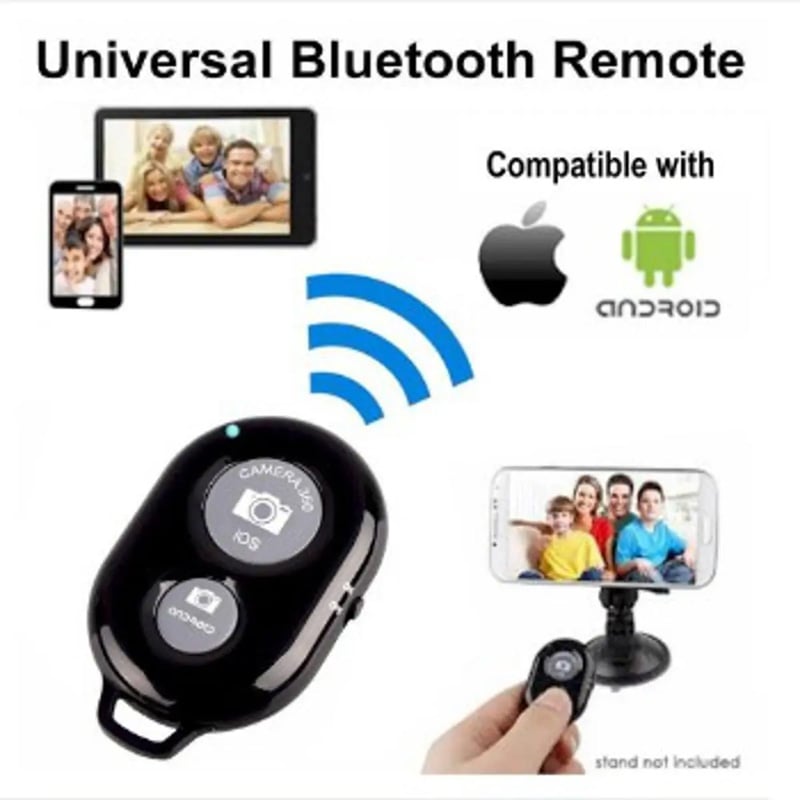
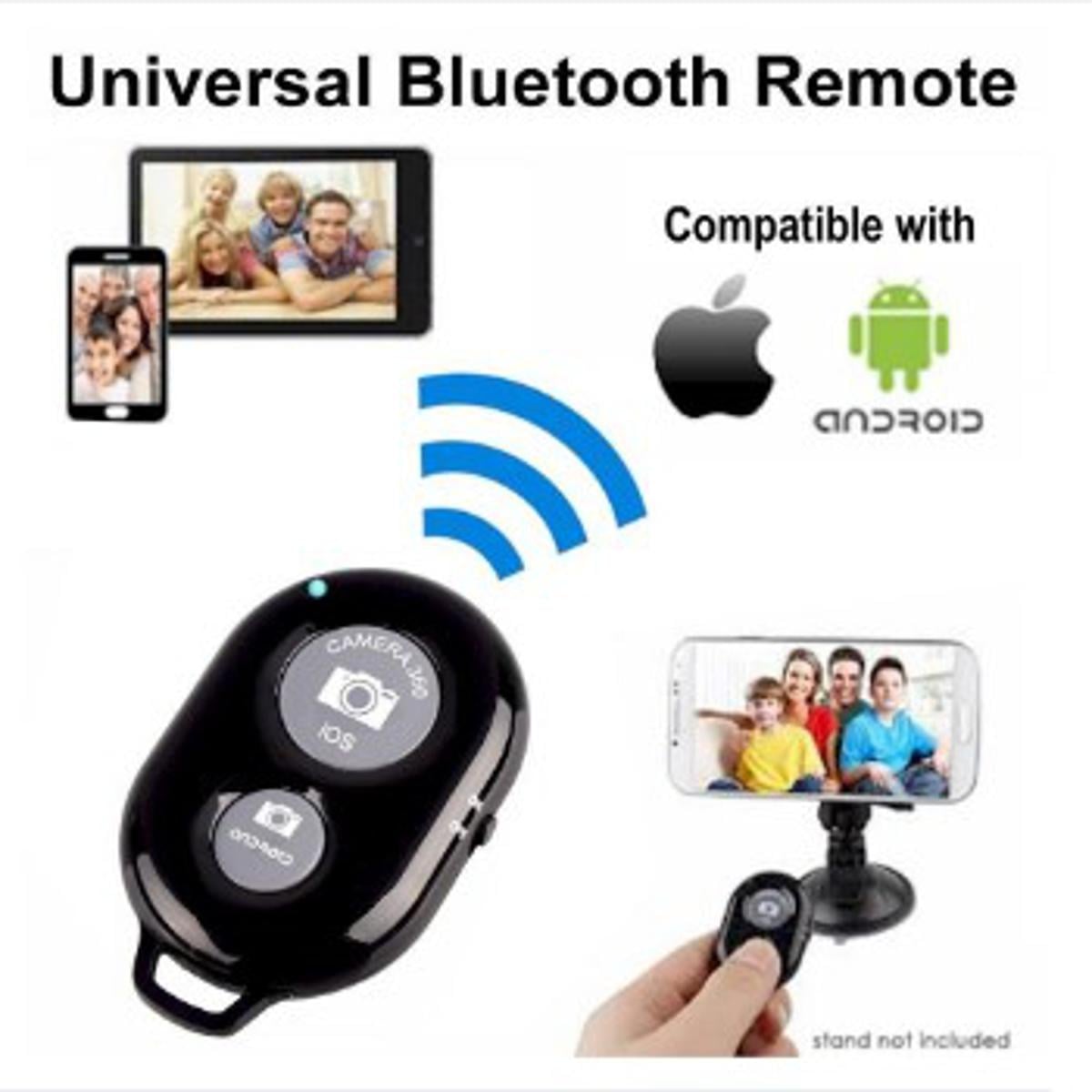
Product details of Wireless Bluetooth Remote Shutter for IPhone & Android
- • Wireless Bluetooth V3.0
- • Effective distance: 10m (30ft)
- • Best for iPhone / Samsung
- • Works on all iOS 6.0+ Apple devices
- • Shutter works with the camera app of iOS
- • Just pair it up and shoot right way
- • For Samsung smartphones, mostly no need of extra app
- • MAY NOT work with low-end or old Samsung models
- • The Shutter will sleep in 1-2 minutes if not used
- • Battery life of up to 2 years if the shutter is turned off after use
Features:
1. Improved style of the first generation.2. Can be docked with the cell phone bluetooth, no extra software needed.3. Applicable to nearly all the phone models in the market, including foriPod/iPhone/iPad/i9220/i9250/i9300/i9500/i9190 and some other Android 4.1 abovephones.4. Can be used to take long distance photos up to 10 meters in the absence ofobstacles.
Specifications:
1.Color: Black,
2. Apply to: iOS (6.0 Above) / Android system (forSamsung/MOTO/Sony/Google/Xiaomi/HTC etc, Android 4.2.2 Above)
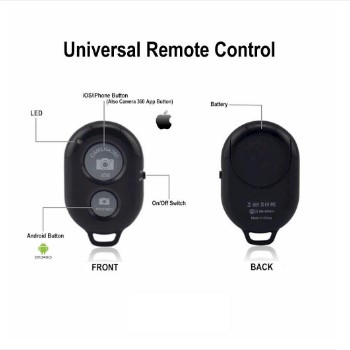
3. Function Keys: On/Off, Bluetooth pairing, Photograph, AndroidConfiguration, IOS Configuration
4. Bluetooth: V3.0
5. Frequency: 2.4Hz - 2.48GHz
6. Effective distance: 10m(30ft)
7.Battery: CR2032Button Battery(include)
Instructions:
1. Press the power button, LED flashing;2. After power on, press the bluetooth pairing key, LED flash slowly. Thebluetooth steps to a state that can be searched and matched;3. Use the mobile phones to match. LED will be out after the success of thepairing;4. Long press the corresponding configuration key. LED will light up afterconfiguration. The product can be used normally at this time.5. Without using for five minutes, the product will automatically enter adormant state. Please press the power button to turn off the timer when not inuse, to ensure that the battery can be used for a long time.6. Can be charged with PC devices or mobile power adapter. LED on --- charging.LED out --- saturation.
Attention:
1. Please do not use chemical solvents to wipe the product.2. Please don't splash strongly acidic reagent to the product.3. Please don't keep the product in high temperature place or throw it intofires.4. Please don't squeeze, throw or crush the product.
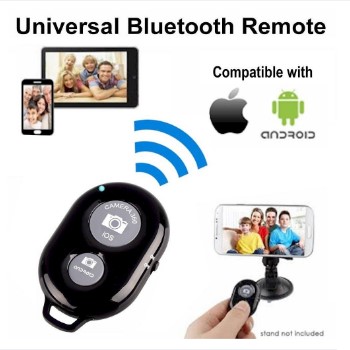
Product details of Wireless Bluetooth Remote Shutter for IPhone & Android
- • Wireless Bluetooth V3.0
- • Effective distance: 10m (30ft)
- • Best for iPhone / Samsung
- • Works on all iOS 6.0+ Apple devices
- • Shutter works with the camera app of iOS
- • Just pair it up and shoot right way
- • For Samsung smartphones, mostly no need of extra app
- • MAY NOT work with low-end or old Samsung models
- • The Shutter will sleep in 1-2 minutes if not used
- • Battery life of up to 2 years if the shutter is turned off after use
Features:
1. Improved style of the first generation.2. Can be docked with the cell phone bluetooth, no extra software needed.3. Applicable to nearly all the phone models in the market, including foriPod/iPhone/iPad/i9220/i9250/i9300/i9500/i9190 and some other Android 4.1 abovephones.4. Can be used to take long distance photos up to 10 meters in the absence ofobstacles.
Specifications:
1.Color: Black,
2. Apply to: iOS (6.0 Above) / Android system (forSamsung/MOTO/Sony/Google/Xiaomi/HTC etc, Android 4.2.2 Above)
3. Function Keys: On/Off, Bluetooth pairing, Photograph, AndroidConfiguration, IOS Configuration
4. Bluetooth: V3.0
5. Frequency: 2.4Hz - 2.48GHz
6. Effective distance: 10m(30ft)
7.Battery: CR2032Button Battery(include)
Instructions:
1. Press the power button, LED flashing;2. After power on, press the bluetooth pairing key, LED flash slowly. Thebluetooth steps to a state that can be searched and matched;3. Use the mobile phones to match. LED will be out after the success of thepairing;4. Long press the corresponding configuration key. LED will light up afterconfiguration. The product can be used normally at this time.5. Without using for five minutes, the product will automatically enter adormant state. Please press the power button to turn off the timer when not inuse, to ensure that the battery can be used for a long time.6. Can be charged with PC devices or mobile power adapter. LED on --- charging.LED out --- saturation.
Attention:
1. Please do not use chemical solvents to wipe the product.2. Please don't splash strongly acidic reagent to the product.3. Please don't keep the product in high temperature place or throw it intofires.4. Please don't squeeze, throw or crush the product.

Login to ask a question
